

On Wednesday, Google announced a new feature for iOS users that allows them to search for content displayed on their screen with a simple gesture while using the Google Chrome or Google Search app. This new capability mirrors the Android “Circle to Search” function, which also enables users to perform searches via various gestures.
Initially, iPhone users will have the ability to search for items on their screen by drawing, highlighting, or tapping, utilizing Google Lens.
For example, if you’re perusing an article and encounter an intriguing piece of art, you can quickly circle or tap on the image using Lens to discover more about it. Additionally, if you’re watching a video and notice a product you like, you can use Lens to locate similar items by circling the product.
The purpose of this functionality is to enable users to conduct visual searches swiftly while browsing, eliminating the need for screenshots or opening new tabs. It also provides an alternative method for users to initiate conventional web searches—an area that may be affected by the growing integration of AI technologies over time.
Once you highlight or tap on an element on your mobile screen, you will receive visual matches along with other pertinent results. You can then choose the “Add to your search” option to narrow down results by criteria such as color, brand, or other attributes. Furthermore, you can pose follow-up questions for more in-depth information on a topic.
To access this new feature in the Chrome or Google app, navigate to the three-dot menu and select “Search Screen with Google Lens.” Google plans to introduce a new Lens icon in the address bar in the coming months.
This update is set to roll out within the week and will be available to iOS users worldwide.
Moreover, Google has revealed that it is extending AI Overviews, which provide an overview of information at the top of results pages, to additional Google Lens search results.
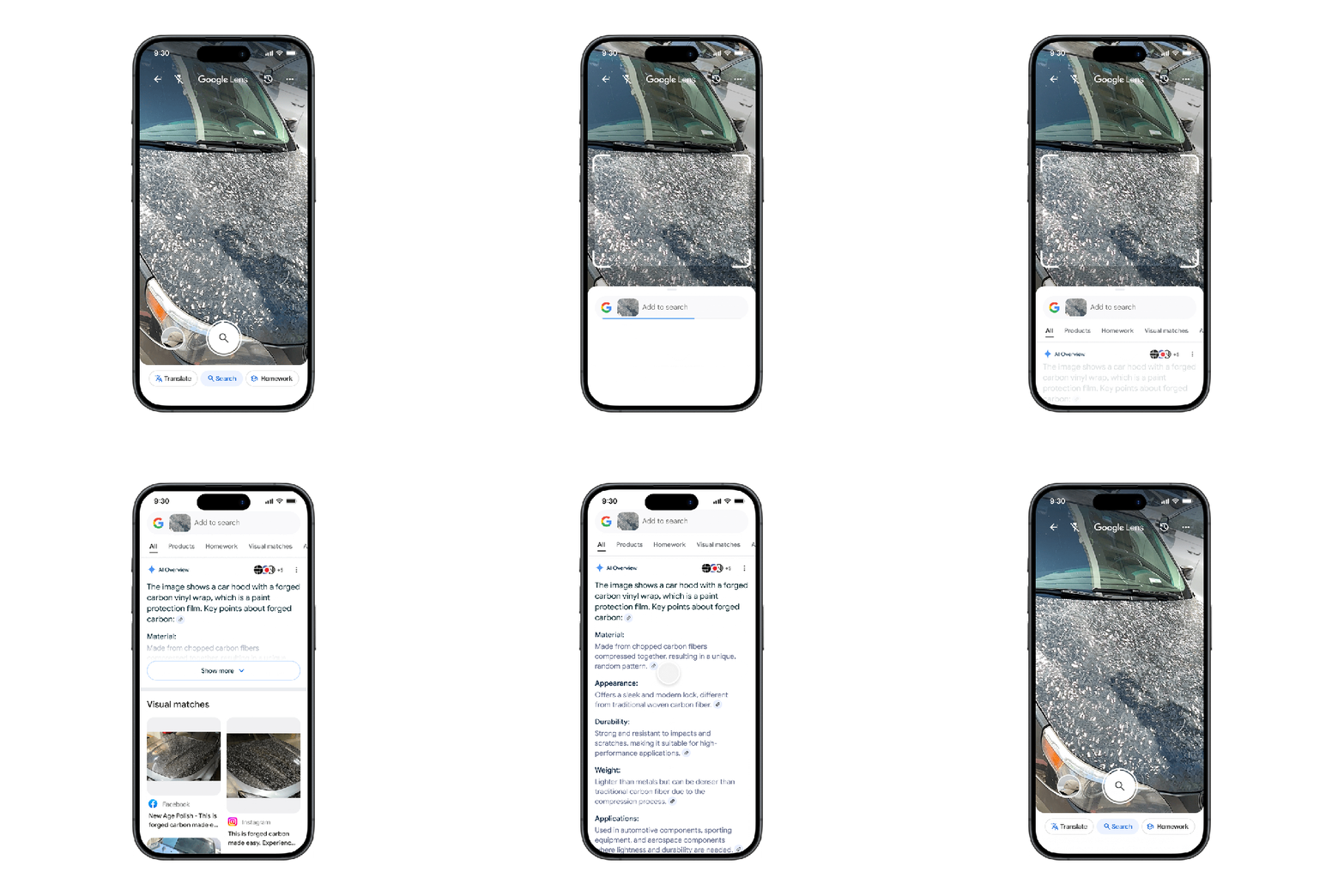
Previously, AI Overviews were displayed in Lens searches that contained both images and text. With this recent update, users will start to see AI Overviews appear without needing to add extra text or questions to their searches.
For instance, if you spot a striking car, you can take a picture and then receive an AI Overview that helps you quickly uncover more details about the vehicle, as well as links to useful online resources.
This update is being rolled out for English-speaking users in countries where AI Overviews are available, starting with the Google app for both Android and iOS platforms.
The company has stated that this update will soon be available for desktop and mobile versions of Chrome as well.
Compiled by Techarena.au.
Fanpage: TechArena.au
Watch more about AI – Artificial Intelligence

